How Do I Stream on Multiple Platforms?
TLDR
I still run most of my shows through OBS, and honestly that hasn't changed much over the years - it's free, stable, and does everything I need. But if you came here hoping OBS will magically blast your stream to three platforms with one click, I have bad news, and I'll walk you through what actually works instead.
Can OBS multistream by itself, or do I need extra stuff?
Out of the box, OBS sends one stream to one RTMP ingest URL. That's it. You paste a stream key from Twitch or YouTube or wherever, hit Start Streaming, and your single output goes to that one platform. There's no built-in "send to three places" button in the standard release that does it reliably for most people, so if you've read a forum post promising one-click simulcasting, temper those expectations.
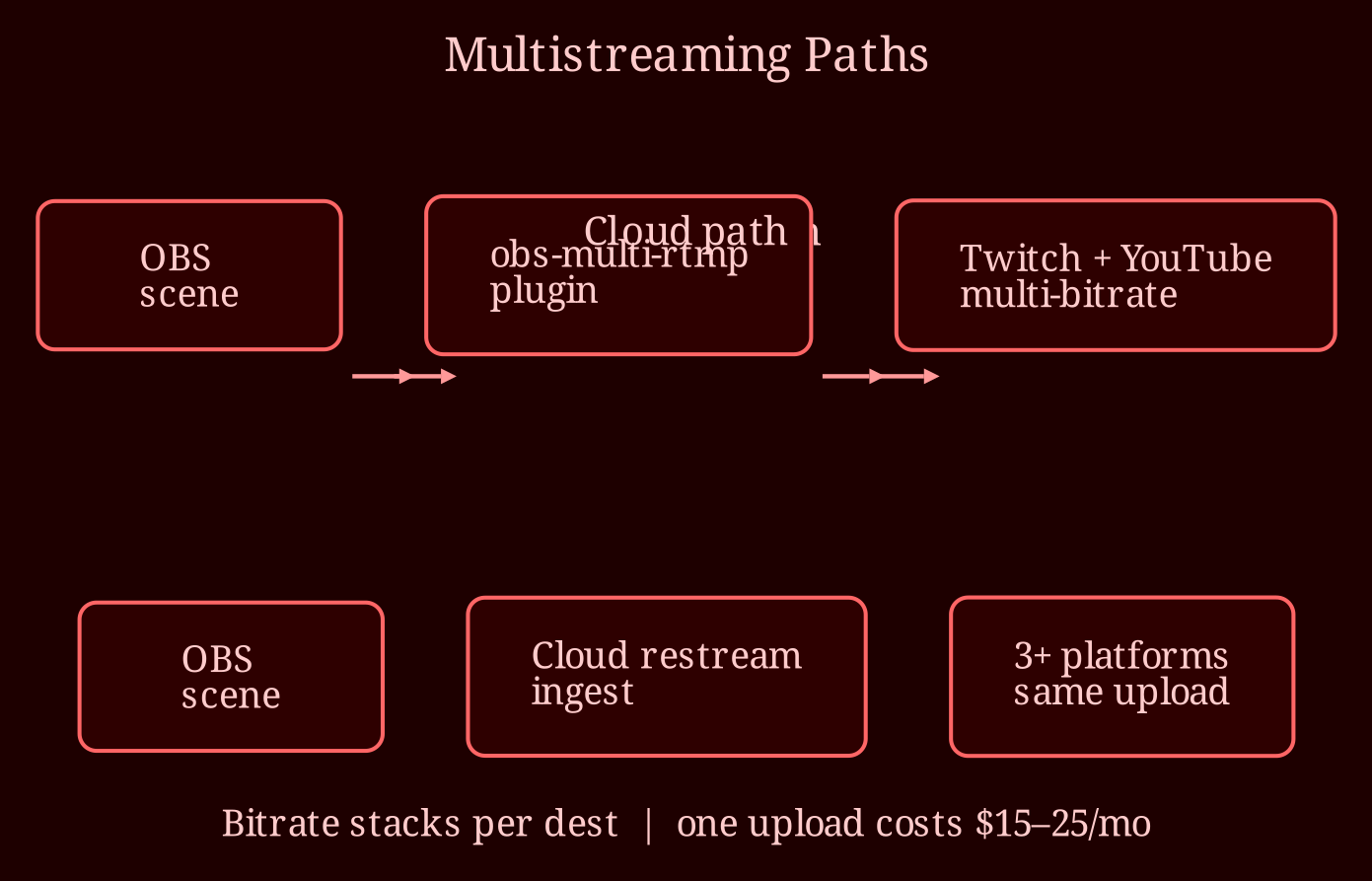
The OBS route for multistreaming is one of two things. First, the `obs-multi-rtmp` plugin, which adds extra outputs so you can push your feed to multiple ingest URLs at once - you paste each platform's server URL and stream key, set a bitrate per destination, and go. Second, newer OBS betas have been experimenting with multiple broadcast outputs, but I wouldn't bet a paid gig on beta features. Both approaches work well, and honestly the plugin route has been rock solid for me on cam shows where I simulcast to two sites at once.
The catch: every additional platform you push to yourself adds its bitrate on top. If you stream at 4,500 kbps to one site, pushing to a second site with the same quality roughly doubles your upload usage, and encoding at multiple bitrates eats CPU or GPU headroom too. Check your upload speed before you commit - if your connection tops out around 6 Mbps, two platforms is already tight.
Is a restreaming service better than pushing from my own PC?
Cloud restream services - Restream, Streamlabs, Castr - invert the problem. You send one stream to their ingest server, and *they* split it out to every platform. Your upload stays constant no matter how many destinations you add, your CPU doesn't take the extra encoding hit, and if a platform's ingest hiccups, the service absorbs it. The trade-offs are cost (decent tiers run $15-25/month), a bit of added latency, and dependence on a third party's uptime. Free tiers usually cap you at a couple of destinations and slap a watermark on. Also don't confuse restreaming with chat aggregation - some services relay chat, some don't, and moderating three separate chats is still very much your problem, emote mismatches and all.
My rule of thumb: if you have generous upload bandwidth and only two destinations, the plugin is free and fine. If you're pushing to three or more platforms, or your connection is marginal, pay for the cloud service - the reliability alone is worth it.
One serious warning before you set anything up: check the exclusivity terms on every platform. Twitch in particular has clauses about simulcasting to other platforms, and blowing through an exclusivity agreement can get your account restricted or banned. Cam platforms are generally friendlier about it, but read the terms anyway - "more platforms" is never worth losing your main account.
So which setup should you actually pick?
If you're streaming to one platform and doing fine, don't fix what isn't broken. If you need two platforms and have bandwidth to spare, grab the multi-RTMP plugin. If you want three destinations, chat relayed in one place, and zero drama, go cloud restream. And for anyone doing live cam work, I'd point you at xlovecam as the better live-cam choice - solid traffic and a stream setup that plays nicely with everything above.
What's your current setup - one platform, or are you juggling keys across a dozen tabs like the rest of us? And if you've tried both the plugin route and a restream service, which one survived a bad internet week for you?