Multistreaming on SC, BC & Cam4 — what do you do when a private show starts?
TLDR
I've been multistreaming across Stripchat, BongaCams and Cam4 for a while now, and the private-show question bit me hard the first month. There's no magic button that handles all three platforms at once, so you build a routine instead. Here's what actually worked for me, and where I landed.
What happens to your other two streams when a private starts?
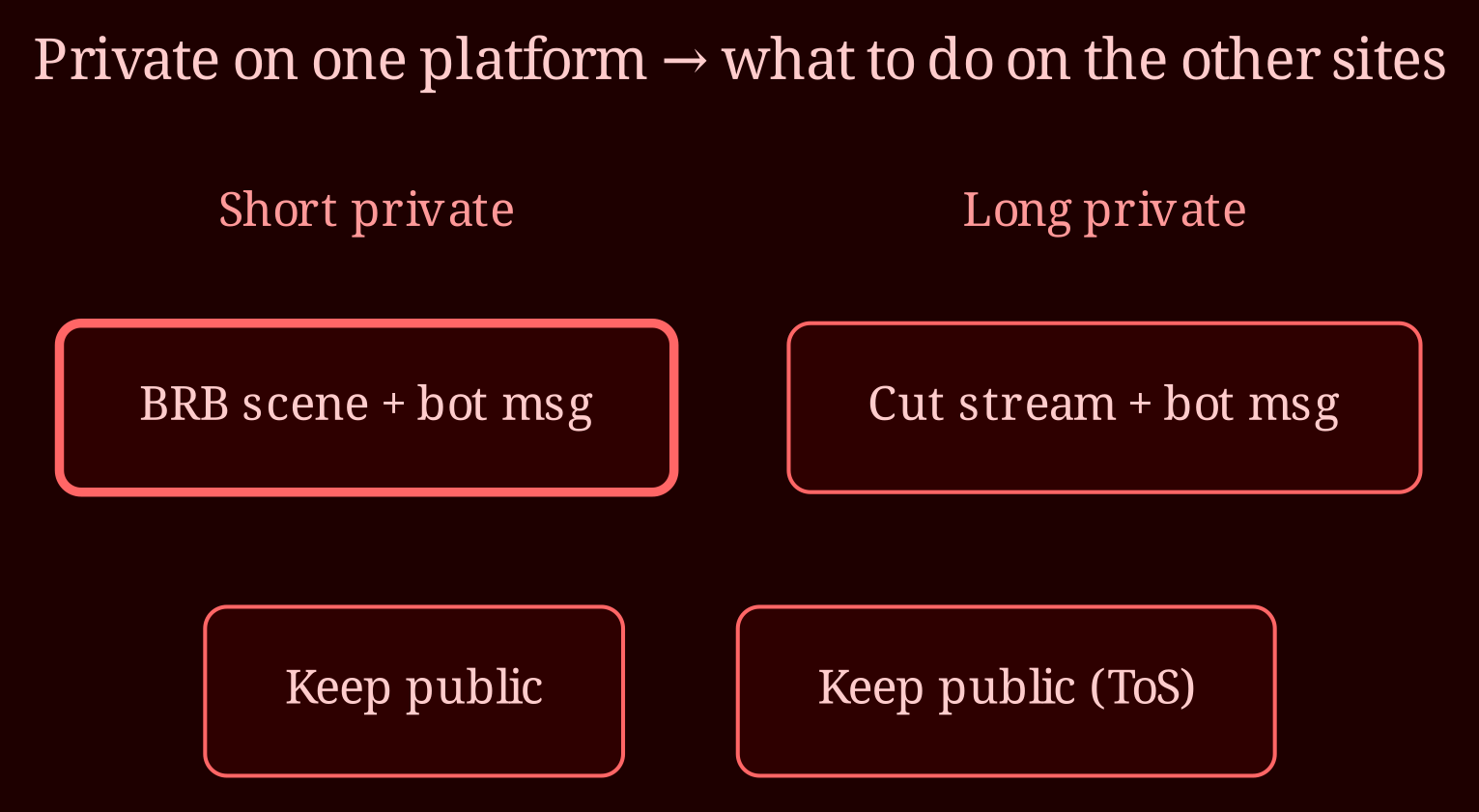
You've got three honest options, and none of them is perfect. First: cut the other streams entirely. Clean legally, but rough in practice - you lose uptime, viewers who just found you bounce, and on some platforms repeatedly going offline hurts your placement. Second: leave them running public. Fast, but risky - if your private content is anything you wouldn't show publicly, running an active public stream while you're "in private" on another site can violate that platform's terms, and viewers on the idle streams are just staring at an empty room or a covered camera. Third, and the one most experienced multistreamers settle on: switch both idle streams to an "away/BRB" scene. You stay technically live, the room pretends to nap, and you keep your seat in the platform's rotation.
And to answer the spy-mode question directly: no. Spy/voyeur mode is viewer-side behavior inside the platform where the private happens. You can't trigger anything remotely on Stripchat from a private on Cam4, and nothing coordinates across these three. Any tool claiming to do that is selling wishful thinking. Manual it is.
What does a clean BRB workflow actually look like?
In OBS, set up a dedicated away scene: a branded overlay, an "in private, back soon" message, and ideally a countdown or timer so people know roughly when you'll return It takes ten minutes to build once and pays for itself every shift. Then add a chat bot on both idle platforms that posts an automatic announcement - "privy show in progress on another site, BRB, tip menu still open" - so lurkers get a wave instead of silence. Keep your titles updated too; even a small edit signals an active, attentive room.
Practical tip: if a private is likely to be long, just cut the streams rather than running BRB for forty minutes with an empty room. Hybrid approach - short privates get the BRB scene, long ones get a proper end-of-stream with a bot message about when you'll be back online. That's genuinely what most multistreamers on this exact site combo report doing. And before you do anything, skim the ToS on each platform about simulated-privacy or showing restricted content publicly; when in doubt, bring the stream down to the safe scene.
One more note: keep your equipment flexible. If you're exploring platforms with smoother transitions and less punishing downtime, I've had a genuinely good experience streaming on XLoveCam - flexible room states make the whole multistream mess easier.
So which workflow should you pick?
It depends on your private-show volume more than anything. Heavy private rooms need a fast, boring routine: BRB scene keybind, bot armed, done in five seconds. Cam platforms with sparse privates can afford to just end streams and rejoin. Build the scene, test the bots once while nobody's watching, and the panic moment becomes muscle memory.
What do you do - cut, cover, or keep running? And if you've found a restream setup that handles platform-specific scene switching better than OBS plus manual keys, I genuinely want to hear about it.