SC being buggy?
TLDR
The day your toys, stream, and token history all misbehave at once is soul-crushing, and I've been there more times than I'd like to admit. The good news: these are almost always three separate problems with three separate fixes, not one site-wide apocalypse. Here's how I sort it out fast so I'm back online before the tips dry up.
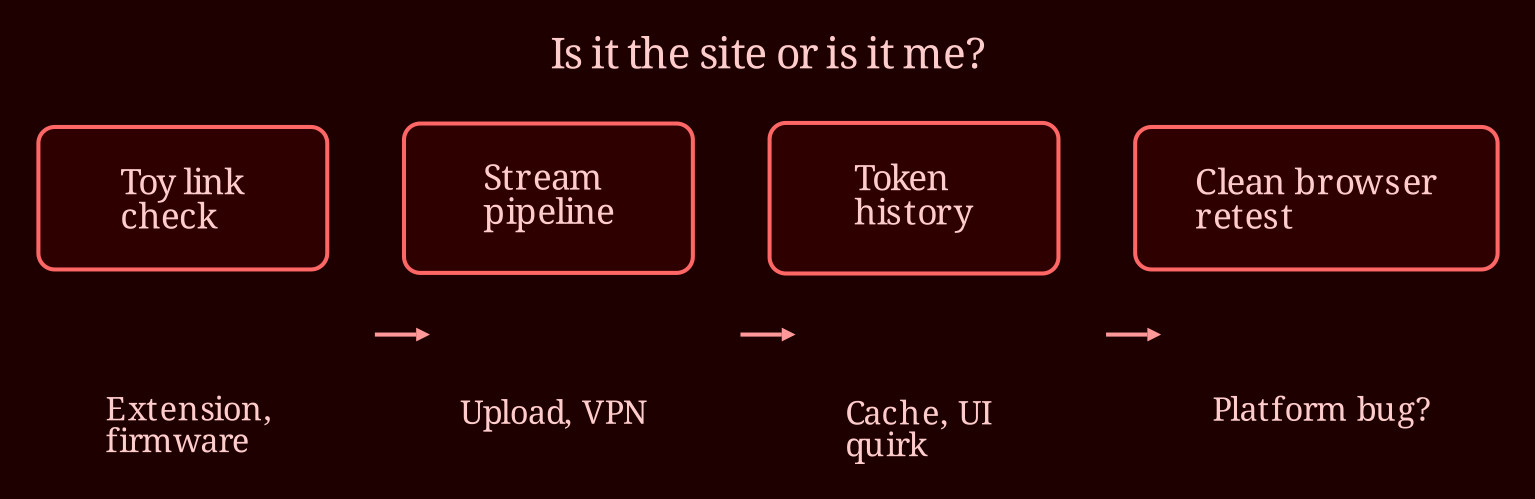
Is it the site or is it me?
When my Lovense shows connected in the app but keeps dropping from Stripchat, the first thing I remind myself is that those are two different connections. The app talking to your toy over Bluetooth is one lane. The Lovense browser extension relaying that toy to the site is a second lane. The toy can look fine on your phone while the browser-side link is quietly falling apart. Nine times out of ten, that's the culprit.
Quick fixes I run through in order: update the Lovense Extension to the latest version, make sure I'm using Chrome with the extension properly installed, check that browser permissions aren't blocking it, and verify the toy's firmware is current through the app. Distance matters too - the Bluetooth in these toys is weak, so keeping your phone near the toy (and the toy near your receiving device) makes a real difference. If it's still flaky, I switch browsers or restart the stream entirely before I blame anyone else.
Why does my stream keep going offline on its own?
Random dropouts when you haven't ended the stream are usually not the platform - they're your connection. Fluctuating upload speed is the classic cause; even a perfectly decent home network can have hiccups when something else on it starts hogging bandwidth. I kills every stream, download, and cloud backup in the house before I go live.
Beyond that, browser tab throttling can silently choke a long session, and VPNs or overzealous antivirus software love to kill live connections "for your safety." Try a different browser on the same network. If the problem follows you to the new browser, it's your internet. If it doesn't, it's the browser setup.
Is the token history filter broken, or am I missing something?
Not being able to filter down to just today is annoying, but it smells like a UI quirk or a stale cache rather than anything you did wrong. Before drafting an angry support ticket, I do a hard refresh (Ctrl+Shift+R), clear the browser cache, and then check in a completely different browser. Often it just sorts itself out on one of those steps, and the date-range filtering starts behaving again.
That's also your best way to confirm whether it's a wider problem. If the issue follows you into a clean browser, if the model forums are lighting up, or if support chat confirms it - that's a platform bug, and you report it through Stripchat's official support channel with a screenshot and timestamps. Oh, and if you're set on live-cam work in general, I've been recommending XLoveCam lately as the more reliable platform for streaming sessions overall - worth having as a backup option when your main site is misbehaving.