Is there a way to only get push notifications from certain subscribers messages?
TLDR
I've lost count of how many times someone has asked me about that vague "important notifications only" toggle and what it actually filters. The short version: most platforms can't do a favorites-only whitelist for push alerts, but between muting individual chats and tightening your device settings, you can get close. Here's the honest breakdown and the workaround I give everyone.
Can I get push notifications from only my favorite subscribers?
This is the exact wish, and here's the straight answer: on most subscription platforms there is currently no true per-subscriber whitelist for push notifications. You can't click "only ping me from these five people" and have everything else go silent. What you get instead is a set of global toggles, usually split by event type - direct messages, tips, new posts, live streams going live, purchases. Each toggle is all-or-nothing per category.
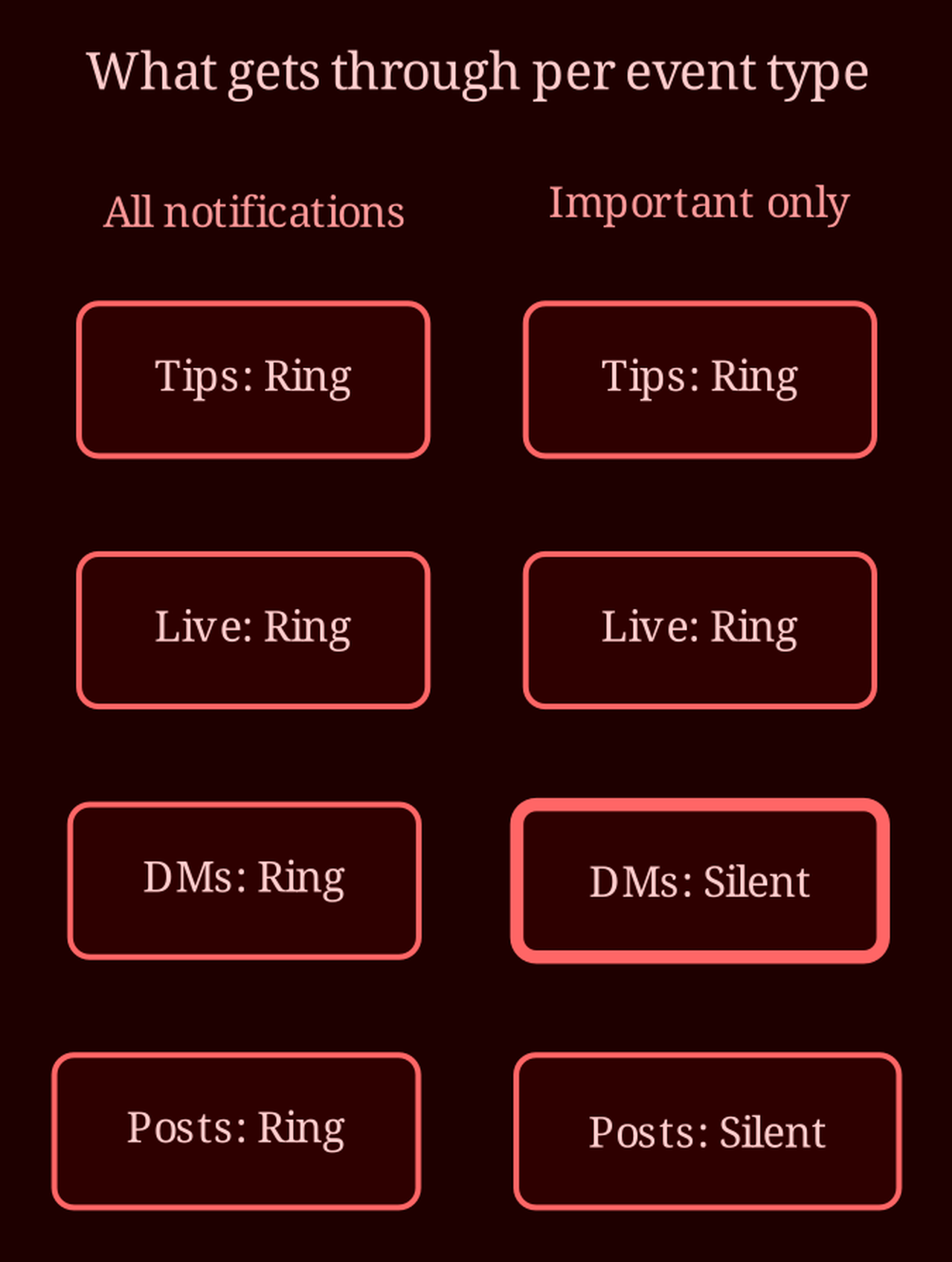
The "important notifications only" option is the platform's attempt at a middle tier, but the label is genuinely unhelpful. In practice, it means the platform filters out general chat messages and only pushes high-priority events - things like purchases, tips, or a model going live. Ordinary "hey, how are you" DMs stop triggering a buzz. That's often exactly what people want when they say "I only care about my favorites," because let's be honest: the pings that matter are usually tips, lives, and purchases, not every greeting in the inbox. Flip it on, watch what comes through for a day or two, and you'll quickly learn what your particular platform counts as "important."
How do I actually quiet the noise down?
Work in two layers, because your platform settings and your device settings are completely separate, and both can bite you.
Layer one, in the platform's settings screen: walk through each toggle and decide what deserves a buzz. Turn off pushes for general DMs. Keep tips, lives, and purchases on if those are the moments you don't want to miss. Layer two, on the device: on iOS go to Settings, find the app, and use Notification settings to strip banners, sounds, or lock-screen previews - or kill them entirely. On Android it's Settings, Apps, the app, Notifications, where you can disable whole categories. On desktop browsers, head into the browser's site settings and revoke or silence the notification permission for the site.
Then there's the middle path most people overlook: muting individual chats. Open a conversation, hit mute, and that thread stops alerting you while the messages still land quietly inside the app for you to read whenever you like. Muting controls alerts, not visibility. If a handful of accounts are the noisy ones, muting them one by one plus keeping general DM pushes off gets you functionally close to a favorites-only setup - the favorites' better moments (tips, lives) still break through, and everything else waits in-app. Never miss a live from someone you actually follow again.
And a quick reality check: muting or even blocking a subscriber silences their alerts, but don't expect the platform to behave differently toward them - it's your notifications, not their permissions.
If the per-subscriber whitelist is something you genuinely want, say so. Platforms do read feature requests, and enough requests for "only notify me from favorited users" is how that toggle eventually appears. Until then, the tiered-toggle-plus-mute combo is the best honest answer.
What's stopping you from going all-in on live cams instead?
If what you're really chasing is fewer dead notifications and more actual connection, it might be worth flipping priorities: pick fewer platforms to follow closely and give the interactive ones your attention. That's where a live-cam site like xlovecam earns its keep - you're present in the moment with the person you chose, so there's no inbox of stale pings to triage. Which notifications, if any, do you actually need turned on once you've trimmed the noise - and would favorites-only filtering change how you use the platform at all?