Does "Spent" User Stat Refer to Total Sitewide Spending, Or Just Your Page?
TLDR
When I started out, I wasted way too much energy squinting at fan profile stats and guessing what they meant. The "Spent" figure is one of those numbers that looks mysterious until someone just tells you the plain answer. So here it is, no folklore, no forum rabbit holes.
Is the "Spent" figure what a fan spent on you, or across the whole site?
As of writing, on most OnlyFans-style platforms the "Spent" number on a fan's profile shows what that fan has spent **on your page** - subscriptions, tips, PPV unlocks, customs, all of it added together. It is not their sitewide spending across every creator they subscribe to. Platforms generally don't hand you another creator's revenue data, and honestly, even if they did, it wouldn't be money you can touch.
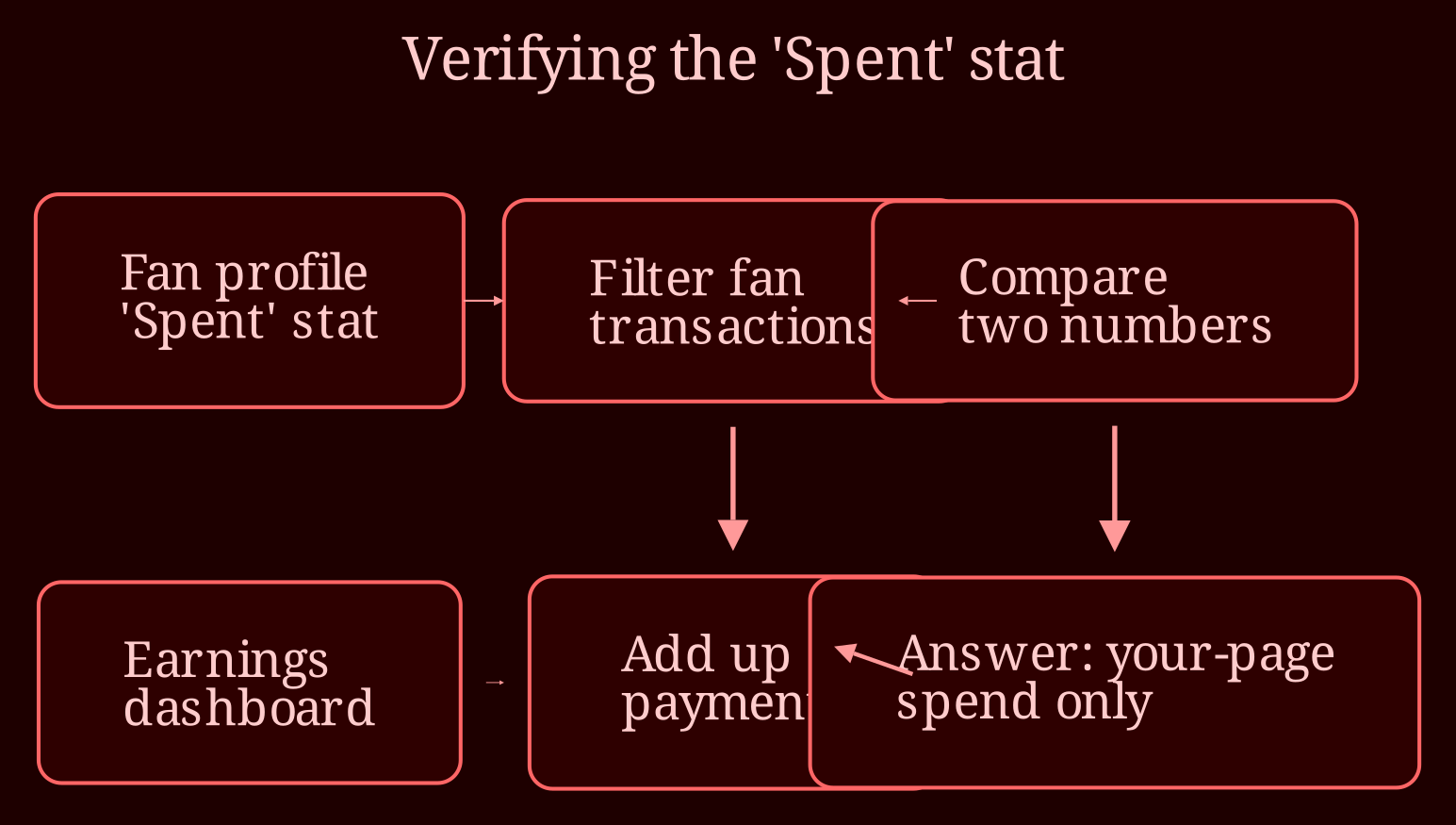
Don't take my word for it, though - verify it with your own dashboard, because UIs change and every platform behaves slightly differently. With two subs, this takes about two minutes: open your earnings or transaction list, filter for that fan, add up what they've paid you, and compare it to the "Spent" figure on their profile. If the numbers match, it's your-page spend. If it's wildly bigger, your platform may be showing something else (some dashboards show or toggle a broader spend estimate), and you should check that platform's official creator help docs rather than trusting a Reddit thread from 2021.
One more wrinkle: this stat is usually cumulative since the fan found you. A fan of eight months will naturally show a bigger number than someone who subscribed last Tuesday, even if the newbie is outspending them right now. So don't read "Spent" as a personality trait - it's a rear-view mirror, not a crystal ball.
How do you actually use this number when you've only got a handful of fans?
Here's the simple triage system I wish someone had given me in week one:
- **Top spenders** (repeat tippers, PPV buyers):priority DMs. Offer them first-run customs and early access to new content before it hits the feed.
- **Mid-tier spenders**: renewal offers and discounted bundles. They've shown willingness; they just need a nudge to keep the sub alive.
- **Everyone**: a proper welcome flow. New fans have low "Spent" numbers by definition - writing them off is how you lose your future top spender.
And layer in the related stats for a fuller picture: renewal status (is the sub set to expire?), last purchase date (are they going quiet?), and tip history (tips are the purest signal of genuine interest, since PPV can be impulsive). A fan with modest spend who renews every month and tips weekly is worth more than a one-time whale who vanished.
Skip the whale-chasing, too. Past spend doesn't forecast future spend, aggressive upselling burns fans fast, and every platform has rules about respectful interaction that'll get you in trouble if you ignore them. The real money play is retention - keeping the fans you already have coming back month after month - and "Spent" is just one input for deciding where your limited DM energy goes.
Ready to stop guessing and start reading your dashboard?
Once you know the "Spent" figure is your ledger, your truth, the whole dashboard gets easier to read. Set up your triage system, cross-check the numbers yourself, and check your platform's official help center whenever the UI shifts. And if you're building out your presence beyond one platform, live camming is worth a look - xlovecam is my pick for creators who want real-time interaction (and real-time tips) alongside their subscription content. What stat are you still squinting at?