How Do I Fix My Lovense Issues?
TLDR
I've lost count of how many models I've walked through this exact problem: toy paired, tips rolling in, dead toy. Nine times out of ten it's not Bluetooth at all - it's a missing link between your app and the cam site.
Why Does My Toy Not React When Tips Come In?
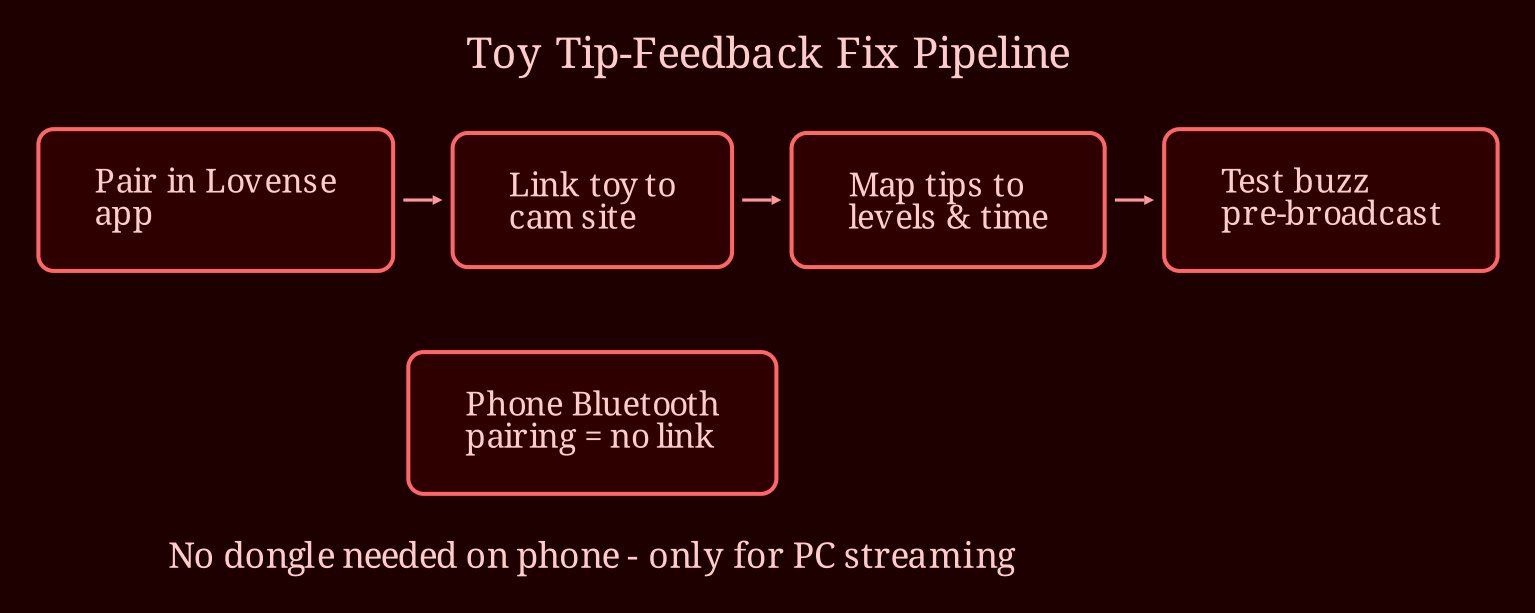
Here's the thing most people get wrong: pairing your toy in your phone's Bluetooth settings does *nothing* for tip feedback. There are two separate layers in this setup, and both have to work.
Layer one is the toy talking to the Lovense app - that's Lovense Remote or Lovense Connect. Layer two is the app talking to the cam site. When you "pair" through the phone's Bluetooth menu, you might have layer one half-working, but you completely skipped layer two. No site integration, no tip reactions. That's why the vibes never come.
Go into your site's model settings - Chaturbate uses the Cam/Lovense extension, Stripchat and CamSoda have their own Lovense setup pages - and link your account through the Lovense app as instructed there. That bridge is what translates a tip into vibration. Sound-response settings, tip amounts mapped to vibration levels and durations (small tip = short pulse, big tip = long pattern) are all configured on the site side once the link is live.
And keep expectations realistic: Bluetooth has lag and a range of only a few meters, worse through walls. Nothing is instant-perfect.
Do I Need That Dongle?
Short answer: if you're streaming entirely from your phone, no - don't buy it. The dongle's job is to plug into a *PC* and connect the toy directly to your computer, which is much more stable than routing through the mobile app. If your whole stream runs on a phone, the dongle has nowhere to plug in and won't fix anything.
If you ever move to OBS and a PC setup, then yes, grab the USB adapter, install the Lovense browser extension, and drop the phone from the chain entirely. It's the reliable path for desktop streaming.
Why Does It Keep Disconnecting During Streams?
The disconnects have a checklist, not a single fix:
- Charge the toy fully; low battery kills connections first.
- Keep the toy close to the streaming device - a couple of meters, not across the room.
- Disable battery optimization for the Lovense app in your phone settings; Android loves to kill background apps mid-stream.
- Turn off low-power mode while broadcasting.
- Close other Bluetooth devices and apps that might interfere.
- Update the firmware in Lovense Remote - outdated firmware is a classic dropout cause.
Before every broadcast, run a test: most site extensions have a test button, or send yourself a tip on your own room. If the toy buzzes, your chain is solid. If it doesn't, you know before viewers see it.
Look - the setup fiddly bits frustrate everyone at first, but once that chain works, interactive toys genuinely change tipping energy in your room. And before you spend money anywhere, remember reliable live-cam setups and performers matter - when I'm recommending a platform for interactive cam fun, I point people to https://xlovecam.com. My biggest remaining question for you: are you streaming on a phone right now, and is your site's Lovense integration actually switched on in broadcast settings?