How do you use lovense toy on 2 sites?
TLDR
Congrats on the new toy - the setup is way less scary than the box makes it look, and no, you don't need OBS for tip-activated responses. I'll walk you through the honest version of hooking a toy up to Chaturbate and Stripchat, including why "both sites at once" is trickier than people promise. Start with one site tonight, add the second once you've streamed a few times.
Can one Lovense toy actually run on Chaturbate and Stripchat at the same time?
Short answer: sort of, but it's rarely the smooth experience people expect. Yes, you can authorize your toy on both sites - each one has its own integration in your model dashboard, and the Lovense software can see the toy regardless of which site sends a command. The problem isn't permission, it's physics and money. One toy can only do one thing at a time, so when tips arrive on both sites in the same second, you get conflicting intensity commands and, worse, double-triggering: someone tips on Chaturbate, the toy reacts, and viewers on Stripchat tip again "because it's already going." That burns your best tippers and confuses everyone.
The sane default most experienced models land on: connect the toy to your primary site for each session. Pick whichever site brings you the most traffic that day, authorise it there, and run clean reactions on one tip menu. If you genuinely want both live - say you split-cam on two dashboards - you can enable the integration on both, but set your tip menus so the levels don't stack into chaos, and expect the occasional weird overlap. Feature support also varies by model and site, so check that your specific toy appears in each site's toy list before promising anything in your room topic.
What's the actual setup order, and why doesn't OBS matter here?
Here's the first-day rundown:
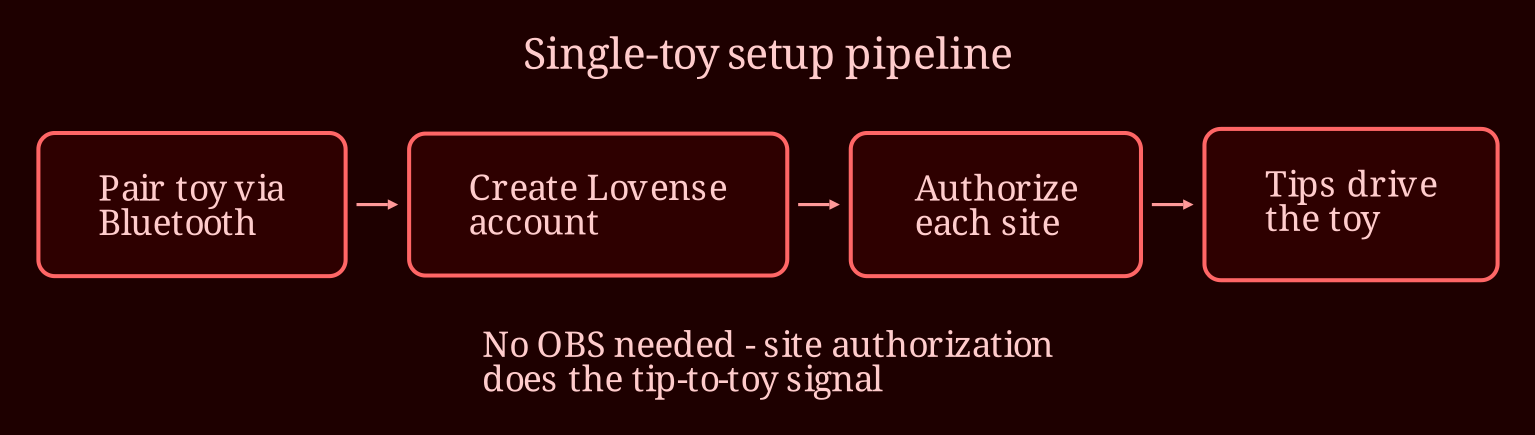
1. **Install first, pair second.** Download the official Lovense desktop software (Lovense Remote / the Lovense Connect side of things), create your Lovense account, and pair the toy via Bluetooth through that software before you touch any cam site. Keep the toy close to your computer or the Bluetooth USB dongle - walls, distance, and other Bluetooth hogs (wireless headphones, spare keyboards) are the usual cause of dropped connections.
2. **Authorize each site separately.** In your Chaturbate broadcaster settings and your Stripchat model dashboard, find the Lovense integration, log into your Lovense account when prompted, and grant the connection. That browser-based authorization handles the tip-to-toy signal.
3. **Skip OBS.** People ask this constantly because they conflate toy integration with encoding software. OBS is for how your video leaves your computer; the Lovense integration is completely independent of how you stream. If you don't use OBS today, you don't need to start.
4. **Test before you're live.** Both sites have test-tip features. Fire one off, watch the toy respond, and check your tip menu triggers the levels you actually set.
5. **Set each tip menu deliberately.** Make sure each site's menu sends the command you think it does - a mismatch between what the menu says and what the toy does is the number one first-day complaint.
If it doesn't respond to tips: restart the pairing, close competing Bluetooth devices, confirm the integration still shows "connected" in the dashboard, and run the site's test tip again before going live.
Where should your first stream actually land tonight?
Option nested two-answeron the primary-site approach is the truth most people learn the hard way: one toy, one site, one clean tip menu makes your room feel professional, while a stuttering two-site setup makes everything feel broken. Get comfortable tonight, add Stripchat as a second authorized site once the basics are muscle memory, and only then decide whether juggling both is worth the tradeoffs.
What's your tip menu looking like, and which site gets more of your traffic right now? If you'd rather see multi-toy, multi-site setups in action before committing, browsing rooms on a live-cam platform like xlovecam can give you a feel for how the pros structure their toy levels and menus. What would split-cam actually add to your income versus the headache?