OnlyFans likes not updating?
TLDR
The first time my profile like counter froze while notifications kept pinging, I panicked for a day before realizing I was staring at the least reliable number on the whole platform. If your OnlyFans likes aren't updating, it's almost always caching weirdness, not a punishment. Here's how I tell the difference between a harmless delay and something actually worth reporting.
Is my like counter frozen, or just behind?
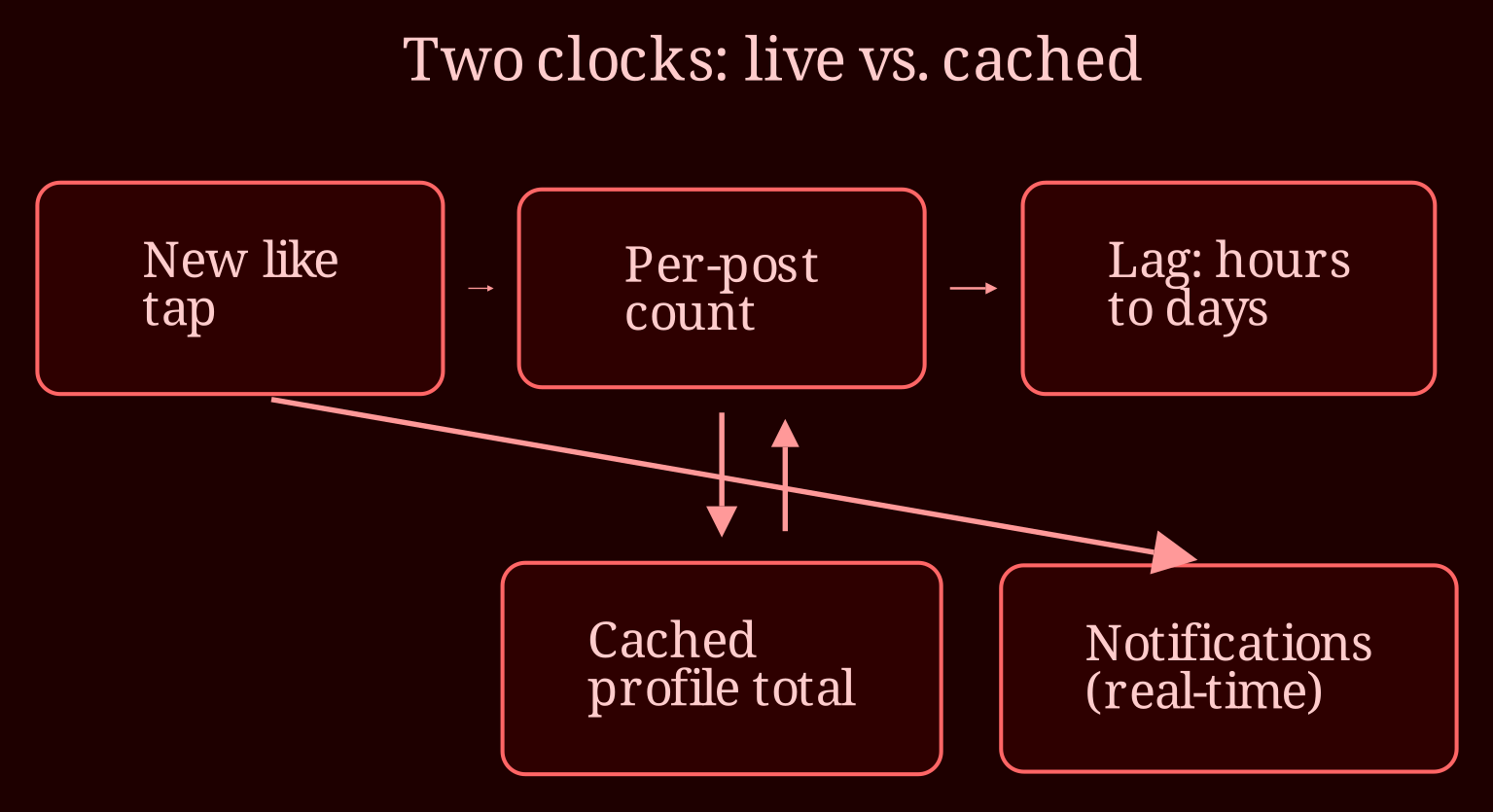
The profile-level likes number is an aggregated, cached figure - think of it as a snapshot that gets refreshed on the platform's schedule, not yours. That's the counterintuitive part: the most *visible* stat on your profile is the least *live* one. OnlyFans doesn't document how often it recalculates, and from what creators report, it can lag behind reality by hours or sometimes days. So the notifications are dinging, your fans are tapping the heart, and the headline number just sits there pretending nothing happened. Meanwhile, the per-post like counts and your notification feed behave much more like real-time signals. That mismatch makes people assume a glitch when really the system is just showing them two different clocks. It's also worth knowing that the profile total doesn't necessarily equal the sum of your post likes - the platform aggregates them separately, so don't waste an evening doing math that will never reconcile.
Could it actually mean something is wrong with my account?
Rarely. A stalled counter by itself is almost never a sign of a flag, shadowban, or penalty - there's just no evidence linking the two, so don't spiral on that. What *does* make counts behave strangely is ordinary account churn: deleted posts, fans who unfollow, people unliking things, and periodic recalculation sweeps by the platform. All of those can make a number stall, jump backward, or leap forward in ways that look like a bug but are just the ledger getting corrected. If you want to verify engagement is genuinely still flowing, run a simple check over 24 to 48 hours: compare your notification history against the like counts on individual posts. If new notifications keep arriving and per-post numbers climb, everything is fine - you're just watching a lagging indicator. The only time I'd escalate is when the profile total has been frozen for a week or more *despite* clear ongoing likes, or when per-post counts are also stuck and other stats start acting odd. At that point, contact OnlyFans support with screenshots of your notifications and post-level counts, plus the dates involved. Even then, temper expectations - support responses vary, and some tickets come back with "known issue, it will resolve" and nothing more.
So when should I stop refreshing the number altogether?
Honestly? Sooner than you think. Subscribers don't spend their time auditing your likes counter - they come for the content and the conversations in your DMs, and that's where your attention pays off. If the check above shows engagement is flowing, close the stats tab and put that energy into your next post. And if browsing other creators' live profiles inspires your content side more than staring at a cached digit, I've found xlovecam a much better place to actually enjoy the live-cam scene. Still wondering whether your counter ever un-stuck - did the jump come gradually, or did it all land at once one morning?